
Schedule a call
Three ways to time a call: right now, after a quick interval, or at an exact date and time. Scheduled calls ring even when the app is closed.
-
Tap the green call button
It sits in the middle of the bottom bar on every tab.
-
Pick the caller
Choose from Favorites, All stored profiles, or Select from device contacts. Contacts show their real photo on the call screen. More about callers.
-
Set the call options (optional)
Attach or record an audio message, and override the ring mode and ring duration for this one call.
-
Choose when
- Now: rings immediately. Handy for testing and for pranks.
- Quick intervals: 10 s, 20 s, 30 s, 1 min, 2 min, 5 min, 10 min, 15 min, 30 min and 1 h by default. You can change these buttons in Settings → Quick call intervals (full version).
- Pick date & time: for an exit planned in advance, down to the minute (full version).
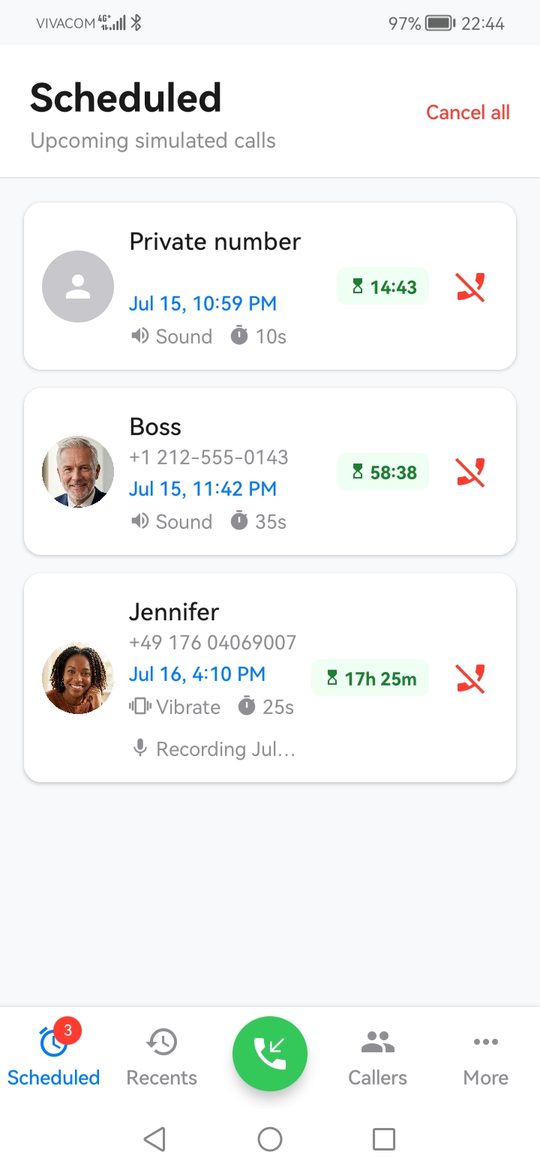
The app confirms with "Call from … set for …" and the call appears on the Scheduled tab with a countdown.
Several calls at once
Each scheduled call fires at its own time, so you can line up a "warning" call ten minutes in and a "real emergency" call half an hour later. The free version keeps up to 2 upcoming calls at a time; the full version has no limit. Anything already scheduled always rings, limits only apply when adding new calls.
Cancel a call
On the Scheduled tab tap the red icon next to a call, or Cancel all at the top. A cancelled call never rings and leaves no trace.
Launcher shortcuts
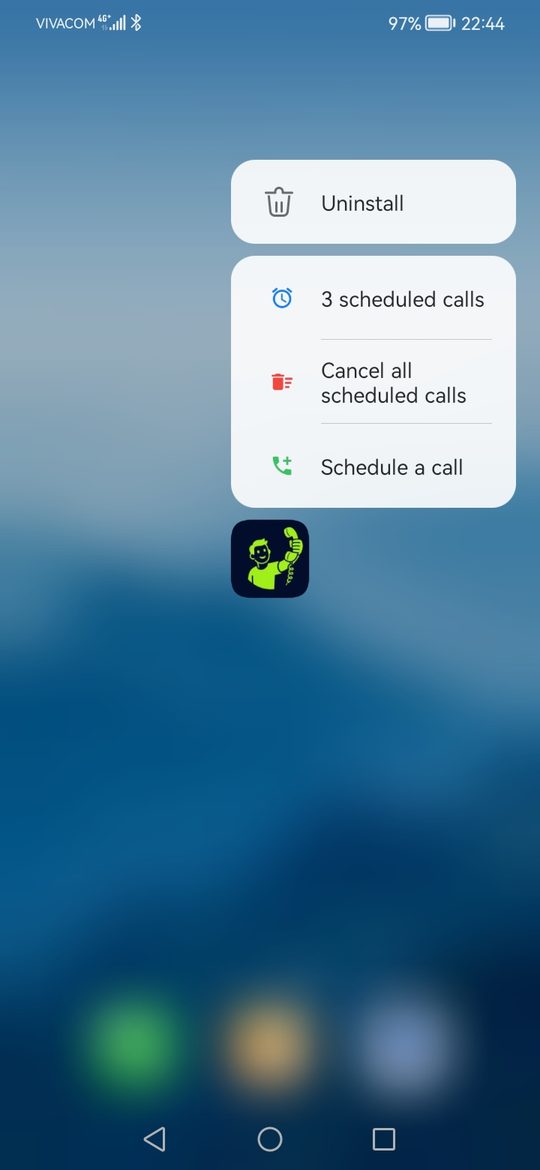
Press and hold the Self Call icon on your home screen for three shortcuts:
- Schedule a call opens the scheduling screen directly.
- Cancel all scheduled calls, one tap, no app.
- A counter of the calls currently scheduled, which opens the Scheduled tab.
Most launchers also let you drag a shortcut onto the home screen as its own icon.
Call again
The Recents tab lists calls that already rang. Tap the call icon next to one to ring it again with the same caller, audio message and ring settings.
Will it ring on time?
Scheduled calls are armed as system alarms, so they ring whether the app is open, closed or swiped away, and even in deep sleep. Two things can interfere:
- On Android 12 and newer the Alarms & reminders permission is needed for exact timing. Without it the system may delay a call by several minutes.
- Phones with a vendor battery manager may stop the app in the background. The battery settings tutorial has the fix per brand.